02 · VRML97 authoring · open sourcev1.4.51-alpha.1 · Beta (pre-release)
Model.Edit.Forge.
A modern visual authoring environment for VRML97, built with X3D support in mind. Build in 3D, work directly with the source, and stay in control of every edit.
Today: VRML97 source editing, validation and live preview. Visual tools are in development; X3D files are planned.
VRML worlds are still being built, restored and explored. The editors they were made in mostly stopped at Windows 98.
Classic authoring tools let people build worlds directly in 3D, but they rewrote files on save and are hard to run today. Text editors keep your source intact but can't show you the scene.
WRL Forge is working to close that gap: a cross-platform desktop application with live preview and validation today, and visual authoring tools being built on top of the exact source.
ASpazz3D / VivatyDirect creation: build the scene by working in the scene.
BWhite DuneAuthoring depth: every node, field and route within reach.
CModern 3D editorsUsability that current desktop users expect.
Inspirations, not affiliations.
Exact source
04 — Source first
Your source is still your source.
# my-world.wrl — the documentDEFLampTransform {
translation 0 2.5 0 # kept as written
children [ Shape { ... } ]
}
one document
CodeAvailable
Scene treeRead-only
InspectorEditing in dev
ViewportSelection in dev
Exact source preservation
Comments, spacing, number formats and vendor quirks survive every edit. The editor never re-prints your file.
Available
Source-backed operations
A visual change becomes a small patch to the exact characters it affects: move a Box and only its translation changes.
In development
Scene tree and inspector
Derived views of the document. Nodes, USE references, PROTOs and ROUTEs, read-only in the current release.
Available
Document transactions
Each visual action is one transaction and one Undo, applied to the same text the code editor shows.
WRL Forge does not export a scene graph over your work. What you didn't touch stays byte-for-byte the same.
Available
05 — Authoring
Four ways in.
Every capability is labeled with its real state. Available means in the current release. In development means merged or being built, but not released. Planned means direction, not a promise.
AvailableIn developmentPlanned
05.1Model
Model
Add Box and Sphere, duplicate, deleteIn development
Click to select in the viewportIn development
Typed position, rotation and sizeIn development
Transform gizmosPlanned
SnappingPlanned
05.2Structure
Structure
Scene tree (read-only)Available
DEF/USE resolution in the treeAvailable
Grouping and reparentingPlanned
PROTO visual workflowPlanned
05.3Appearance
Appearance
Texture scanning and packagingAvailable
Object colorIn development
Materials and textures editingPlanned
Transparency and presetsPlanned
05.4Behavior
Behavior
ROUTEs shown in the scene treeAvailable
ROUTE editorPlanned
SensorsPlanned
Scripts in previewPlanned
AnimationPlanned
06 — Workspaces
A bench for every job.
Screenshots are real. Sketches are labeled.
Workspace
Code
Available
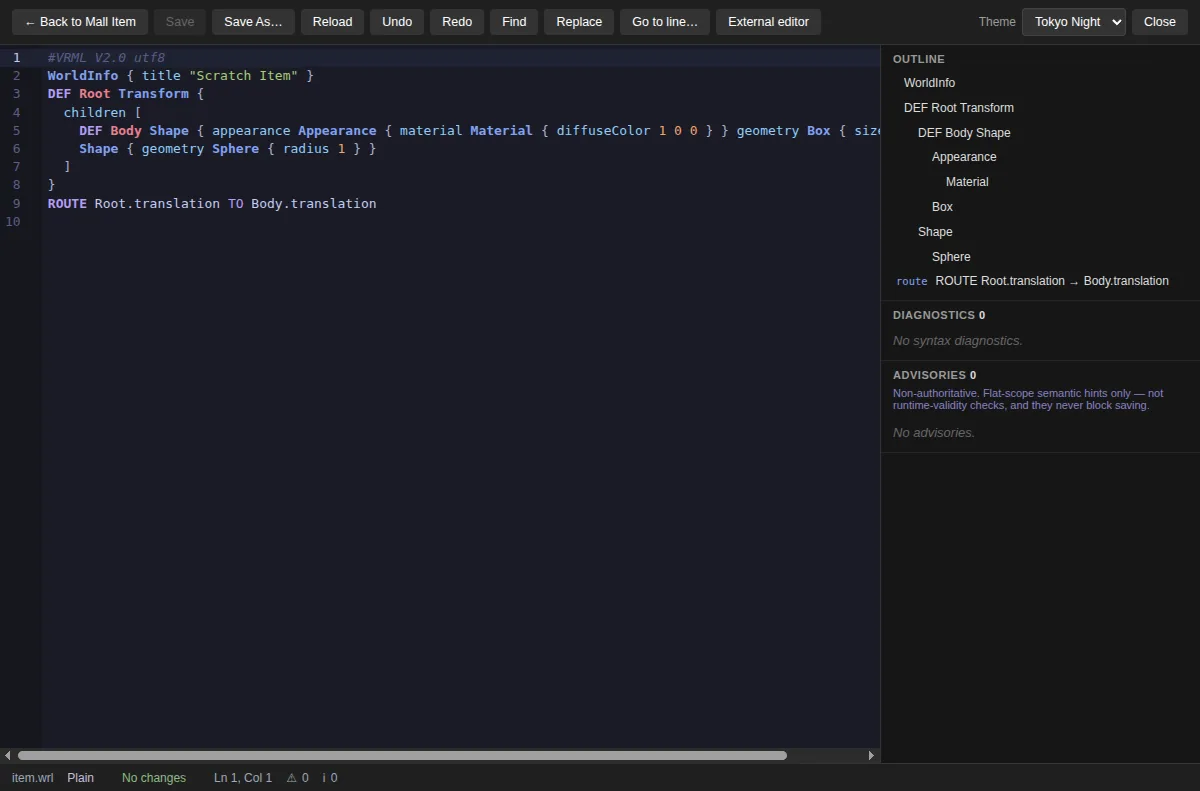
The shipping editor: CodeMirror 6 with VRML highlighting, a live outline, find and replace, five themes including High Contrast, backup-first saves and crash recovery.
Screenshot · shipped since v1.3.0-beta.2 · real application screenshot
Workspace
Model
In development
A beginner-friendly visual mode: add a Box or Sphere, select it in the viewport, set position, size and color with typed fields. Every change is a small patch to your source, and one action is one Undo. Merged to the main branch, not in a release yet.
Design preview·Not a screenshot
Scene
Viewport
Inspector
Roadmap illustration · layout sketch only, not the application
Workspace
Behavior
Planned
Direction: wire ROUTEs, sensors and scripts visually while the source stays readable. The scene tree already lists ROUTEs; authoring them is on the roadmap.
Design preview·Not a screenshot
Nodes
ROUTE graph
Fields
Roadmap illustration · layout sketch only, not the application
Workspace
Animation
Planned
Direction: TimeSensors and interpolators edited on a timeline, written back as ordinary VRML. Roadmap only, with no release target.
Design preview·Not a screenshot
Clips
Timeline
Keys
Roadmap illustration · layout sketch only, not the application
Workspace
Mall item
Available
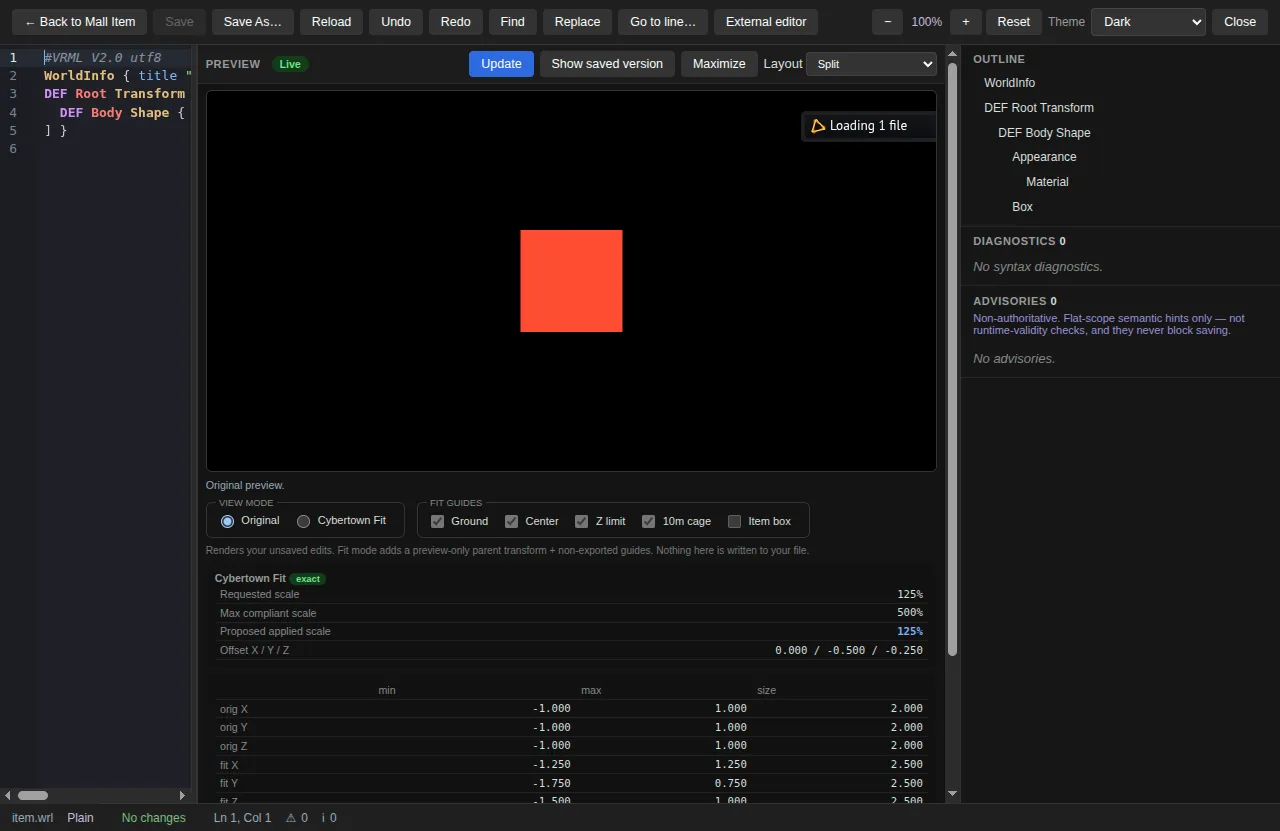
Original and Cybertown Fit previews with ground, center, Z-limit and 10 m guides. The fit is preview-only and never written into your file.
Screenshot · shipped since v1.3.0-beta.2 · real application screenshot
Workspace
Validation
Available
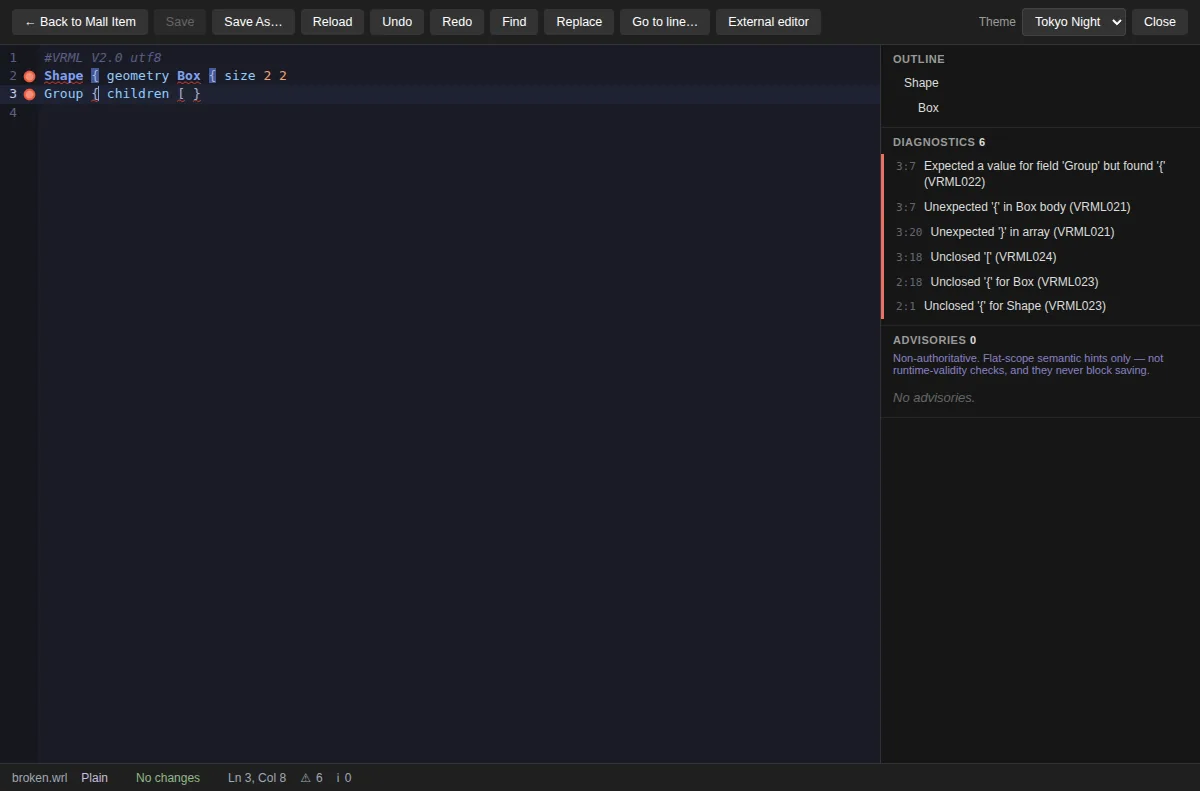
Live syntax diagnostics with codes and jump-to-line, plus advisories that advise and never block a save. If an edit breaks the scene, the preview keeps the last valid version.
Screenshot · shipped since v1.3.0-beta.2 · real application screenshot
07 — Profiles
One editor. Different worlds.
Rules are opt-in
07.1
Generic VRML97
Available
Standards-oriented editing, validation and preview, with no Cybertown rules applied.
VRML97 .wrl / .wrz, gzip-aware
Syntax diagnostics
Live X_ITE preview
X3D file support (.x3d, .x3dv) is not available yet. Planned
07.2
Cybertown Mall
Available
A specialized profile for Mall items.
Original and Fit placement preview
Ground, center, Z-limit, 10 m guides
80 KiB gzip upload-size check
Measured-size gzip repack
Independent community project. Not affiliated with, endorsed by, or officially connected to Cybertown.
07.3
World Projects
Available
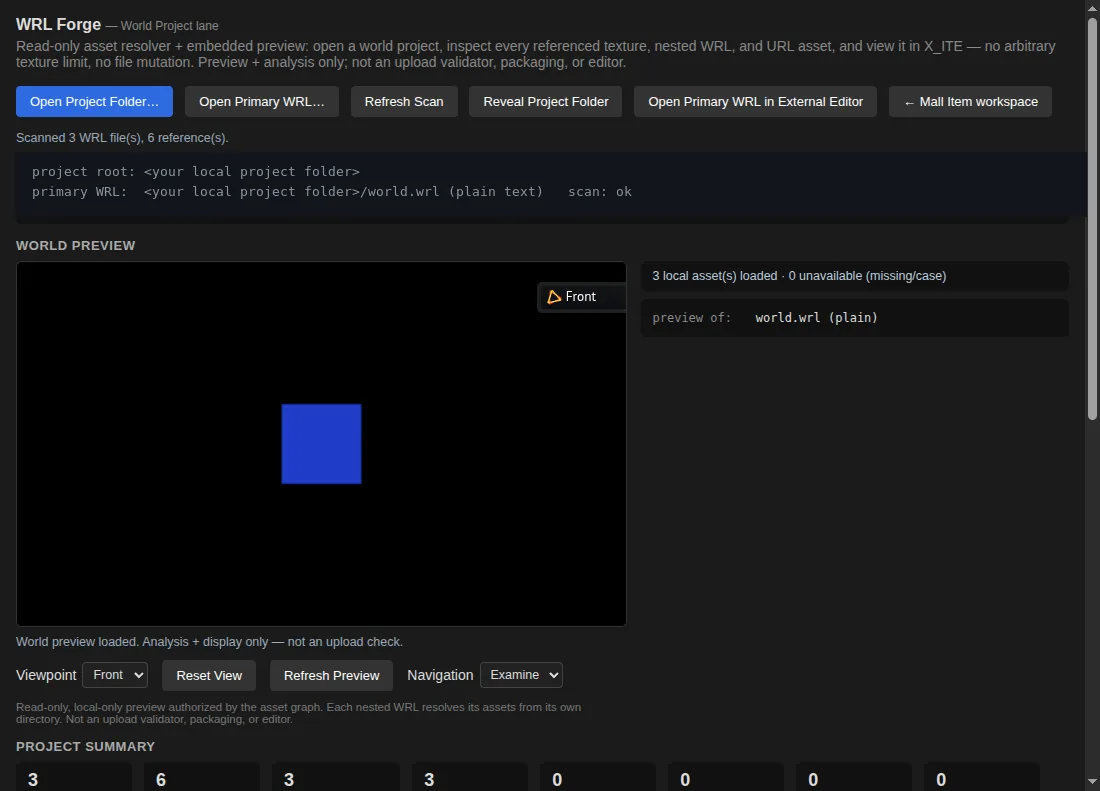
Multi-file worlds, nested Inline references at any depth, textures, asset scanning for missing, remote and case-mismatched files, viewpoint preview, and deterministic ZIP bundles for manual upload.
Screenshot · shipped since v1.3.0-beta.2 · real application screenshot
08 — Why WRL Forge
Built on principles.
No benchmarks. Just how it works.
P/01
Exact source control
The source text is the document. Every other view is derived from it.
P/02
X_ITE rendering
An established open-source VRML/X3D engine, bundled locally. The only renderer.
P/03
Local first
No account, no cloud, no telemetry. Remote URLs in a scene are blocked, not fetched.
P/04
Open source
GPL-3.0-or-later. Contributors keep their copyright: DCO sign-off, no CLA.
P/05
Non-destructive
Backups before saves. The preview keeps the last valid scene when an edit breaks it.
P/06
Standards first
VRML97 semantics come first, and X3D-only fields don't leak into VRML97 output.
P/07
Optional profiles
Cybertown rules apply only when you choose that profile.
P/08
Cross-platform
Windows x64, macOS on Apple Silicon (signed and notarized), Linux x64.
v1.4.51-alpha.1 · 2026-10-14: source editor, validation, live preview, Mall and World Project tools, read-only scene tree and inspector. Builds for Windows, macOS and Linux.
A free, open-source desktop application for authoring VRML97 worlds and objects. It began as a source editor and validator for Cybertown Mall items, and it is growing into a visual authoring environment where the exact source text stays the document.
02Is it a visual 3D editor?
It is becoming one. The current release (beta) has a live 3D preview, a read-only scene tree and inspector. Visual editing (adding objects, selecting them in the viewport, typed field editing) is merged into the main branch but not yet released. Gizmos, snapping, appearance and behavior editing are planned.
03Does it preserve my original VRML source?
Yes. WRL Forge never re-prints your file. Comments, formatting and spacing survive, and a visual change becomes a small patch to the exact characters it affects. Saves create a backup first.
04Does it support VRML97 and X3D?
VRML97 (.wrl, including gzip-compressed files) is supported today. X3D is the standards direction the project is designed around, but opening and saving X3D files (.x3d, .x3dv) is not available yet.
05Is it only for Cybertown?
No. Cybertown Mall is a specialized profile, with placement previews, size checks and gzip packaging. World Projects and general VRML97 editing work without any Cybertown rules. WRL Forge is an independent community project and is not affiliated with, endorsed by, or officially connected to Cybertown.
06Can it open compressed WRL files?
Yes. Gzip-compressed .wrl and .wrz files are detected by their content, edited as text, and recompressed on save.
07Does it require an internet connection?
No. Everything runs locally, including the renderer. Remote URLs inside a scene are blocked rather than fetched, and there is no telemetry, analytics, auto-update or crash upload.
08What rendering engine does it use?
X_ITE, an open-source VRML/X3D browser, bundled with the app. It is the only renderer. WRL Forge does not ship a homemade one. The model at the top of this page is rendered by the same engine.
09Is it free and open source?
Yes, under the GNU GPL version 3 or later. The source is on GitHub. Contributions use a DCO sign-off, with no CLA.
10What features are still under development?
Released today: source editing, validation, live preview, Mall and World Project tools, read-only scene tree and inspector. On the main branch, unreleased: typed inspector editing, adding Box and Sphere, the Code/Model workspace switch, viewport selection. Planned: gizmos, snapping, grouping, materials and textures, ROUTE and animation editing, PROTO workflows and X3D files. The roadmap describes direction, not dates.
Free and open source. Beta software: keep backups of important worlds. Windows and Linux builds are not code-signed during the beta; macOS builds are signed and notarized.